
ORIGINAL PROJECT · PUBLISHED 19 NOVEMBER 2025
I needed a library I could make sense of.
More than 400 audiobooks. Long fantasy series. Hundreds of reviews. A collection I had spent years building and an overview that still made me feel lost.
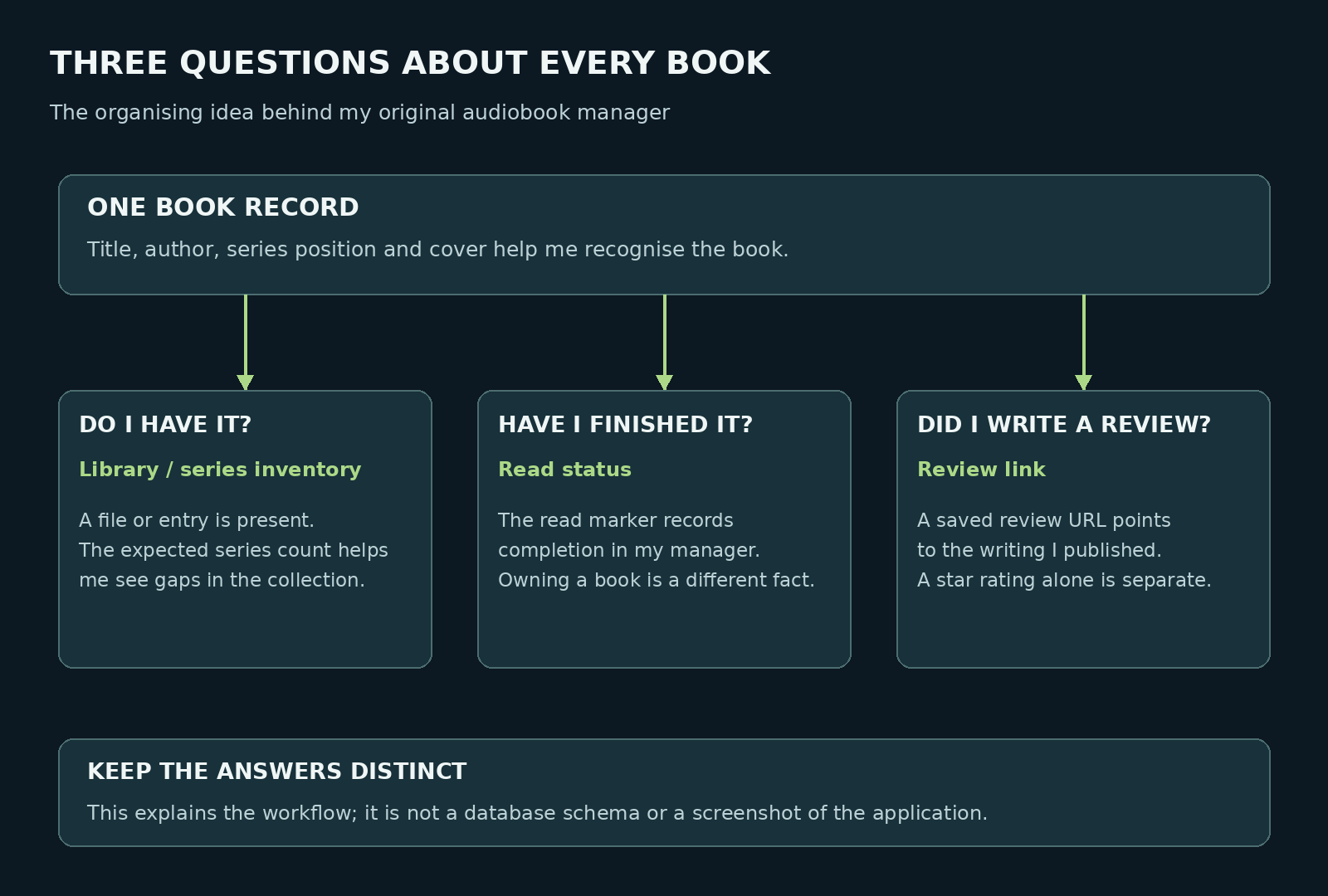
I could open Audible and listen. I could open Goodreads and record a book. What I needed was a clear view of my own collection: the series, the books I had, the ones I had finished, and the reviews I had actually written. Eventually, I built an audiobook manager around those questions.
400+ AUDIOBOOKS
The collection I described at the time.
3,543 GOODREADS ENTRIES
A mixture of books I owned and books I wanted to read.
300+ WRITTEN REVIEWS
Writing I wanted to find again, alongside the right book.
These are the figures from my original account of the project, rather than live statistics from the program.
Why Audible and Goodreads were frustrating me
I had used Audible for years, and it remained a major part of my listening. The trouble started when I tried to use its library as the complete record of that listening. I had books whose status did not match what I remembered finishing, progress that seemed not to sync properly, and too much time spent correcting or searching through the overview.
Yes, I could manually mark a book as finished. My frustration was having to keep checking whether the record matched what I had done. When I had spent hours with a story, I wanted a dependable way to see that I had completed it and where it belonged in a series.
A finished-book view also did not answer every question I had. Which volume came next? Did I have the whole series? Had I only rated this book, or had I written one of my longer reviews? With hundreds of titles, I needed those answers to be visible.
Goodreads helped me record reading and publish reviews, but its edition-based catalogue did not always give me the audiobook-centred view I wanted. Covers, formats, repeated readings, and edition choices could make the record harder to follow. The view I wanted put the audiobook and its place in my collection first.
I wanted the collection arranged around the questions I kept asking. A long list of titles was not enough for the way I worked. I needed a system that made the next useful detail easy to find.
Losing my tracking record made it personal
In 2024, I accidentally deleted much of my Goodreads tracking data. My written reviews remained, and my audiobooks were still in Audible. The record of the journey—the entries, dates, and history I had built around those books—was what I had to rebuild.
I began adding books again and listening back through my collection. Relistening gave me a way to rebuild that record carefully and make sure I really had been through the books. It also made me think harder about the information I wanted to keep for myself.
I do better when I can see structure in front of me. A recognisable cover, a series name, a number, and a clear completion marker help me find my place. I wanted to spend my attention on the story instead of trying to hold an entire catalogue in my head.
“If the tools I use cannot give me the overview I need, I will build my own.”
That was the point where frustration became a project.
The original manager: a visual home for my collection
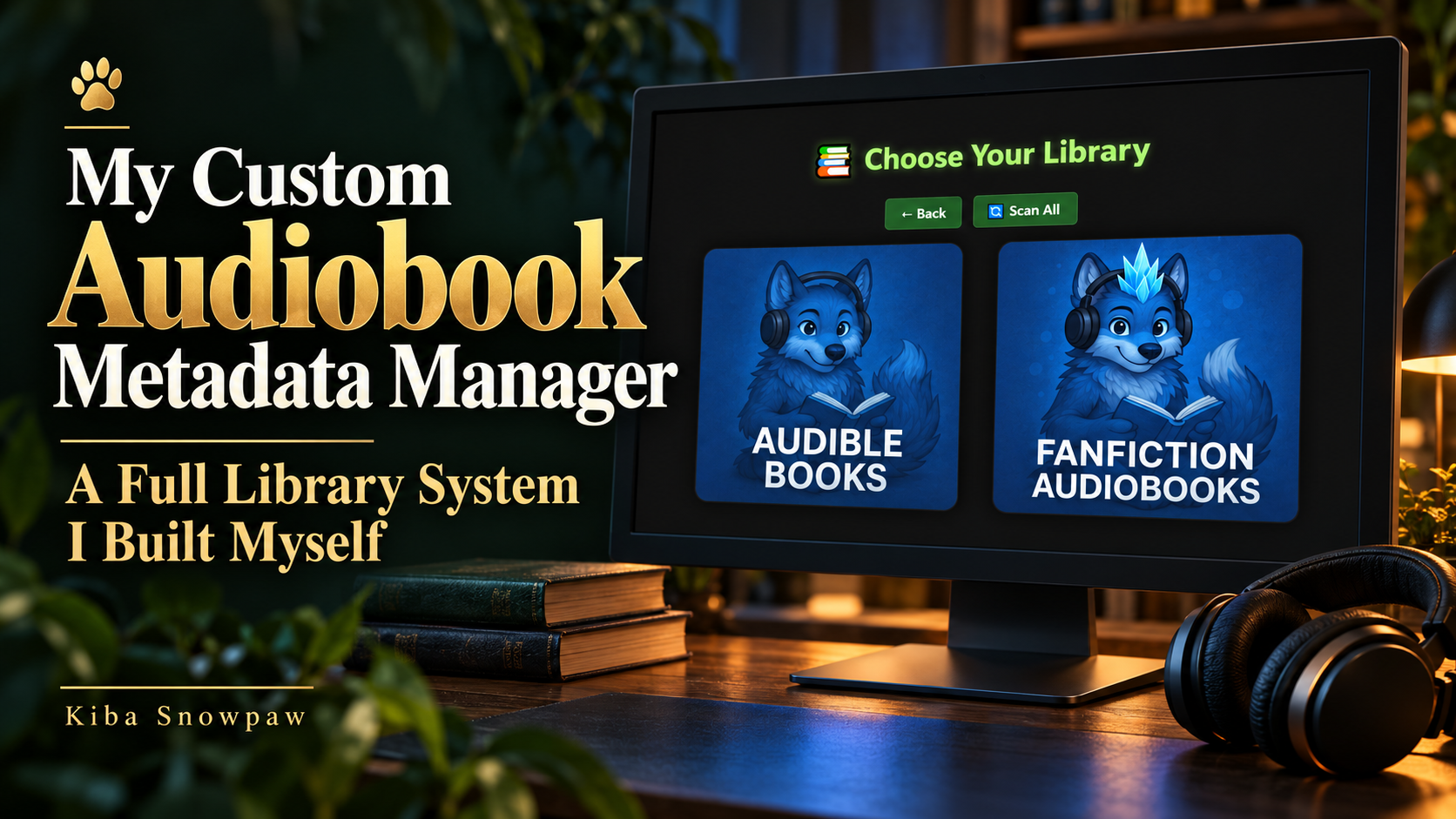
The first screen made the idea visible: choose the library I wanted to work with, then scan it. My original screenshots show separate Audible Books and Fanfiction Audiobooks categories, with my own wolf artwork giving them a familiar face.

The file-management side worked with the audiobook files in my selected local library folders. The 400+ figure described my audiobook collection; it was not a count of 400 files imported in the screenshot. I continued using Audible for listening while building a place where I could organise files and keep my own record.
Inside a library, the program grouped the books and showed cover cards with useful details beside them. I could recognise a series, open its books, inspect their information, mark completion, and save a link to my review. That was the sort of overview I had been missing.
A quick guide to the labels
The old interface uses album and track language inherited from audio metadata. In the examples below, an album groups a series and the individual track cards represent audiobook entries. The expected count is a value I maintain for the collection.
What I built into that version
1. Metadata I could inspect and edit
The book cards put the information where I could actually see it. In the original screenshot, Mana Master and Mana Beast by Bruce Sentar appear together under A Mage’s Cultivation, with their cover art, positions, tags, lengths, read buttons, and review links.

I could edit the metadata instead of accepting whatever a file happened to contain. The important fields included the title, author, series grouping, track number, year, genre, and comments. The display also showed properties such as bitrate and length, which helped me inspect the audio files.
| Field in the old interface | How I used it |
|---|---|
| Title | The name of the audiobook. |
| Artist / album artist | The author grouping used in this setup. |
| Album | The series or collection grouping. |
| Track | The entry’s position in that grouping. |
| Genre, year and comment | Additional information I could keep with the entry. |
| Review | A link to the written review I wanted to find again. |
Saving proper tags into supported audio files made the information useful beyond one screen. It also made the naming and grouping more consistent, because I was working from the information I chose rather than guessing from a filename.
2. Covers I could choose myself
Artwork mattered because I use it to recognise a book quickly. A missing image or an unfamiliar edition made the overview less useful. The cover editor let me choose a replacement image and embed it into the MP3.

Choosing the artwork myself gave the overview a more consistent look and helped me recognise the entries. It was a small feature with a real effect on how comfortable the collection felt to browse.
3. Companion PDFs beside the audio

KEEP THE EXTRAS WITH THE BOOK
Some audiobooks include maps, illustrations, or companion material. I wanted to find those extras from the same place as the audio.
The original The Wandering Inn screenshot shows the Open PDF button on the album card.
The system handled PDF companions alongside the audiobook files, including naming them consistently and offering a clickable link in the interface. A PDF was easier to remember when it was visible next to the book it belonged to.
4. A series count that showed the gaps
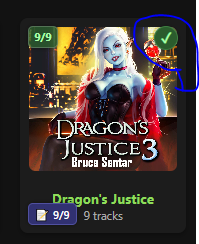
I wanted to compare what was in my collection with the count I expected for a series. That made a missing entry visible instead of leaving me to count covers every time. The original Dungeon Diving card shows 8/9; the Dragon’s Justice example shows 9/9.

The expected count was something I could change as the collection changed. It was not an automatic audit of an author’s complete publication history. A written series and its available audiobook releases can have different counts, so the value needed to reflect the collection I was tracking.
5. A visible record of finishing a book
Each book card had a Read or Mark as Read control. Marking an entry updated its status in my manager, and the green checkmarks gave me a quick visual signal. The series view could also show completion when its entries were marked read.
That helped me keep two different questions clear: having an entry in the collection and finishing it. A full collection count did not, by itself, mean I had listened to every book.
6. Review links attached to the right entry
My written reviews were another part of the library I wanted to keep organised. The book cards had a review-link field and a save control, so I could attach the Goodreads review URL to the entry and return to it later.
That made the writing easier to find. Clicking a star and writing a full review are different actions; keeping the actual review link gave me a more useful record of the work I had published. Goodreads could still host the review, while my manager helped me find it.
7. Scanning the folders again

SCAN ALL / SCAN LIBRARY
The library-selection screen offered Scan All, while the individual library view had Scan Library.
These controls let me rebuild the overview after changing the files or their information.
The scanner brought the selected folders, file information, and available artwork back into the manager’s view. The earlier workflow also included cleaning up empty folders left by reorganisation. The point was to keep the record connected to the files I was actually working with.
8. More consistent file and folder names
The program used the metadata I set to organise names for files and folders, with covers and PDF companions handled alongside the audio. That helped me replace anonymous names such as track01.mp3 with something I could recognise.
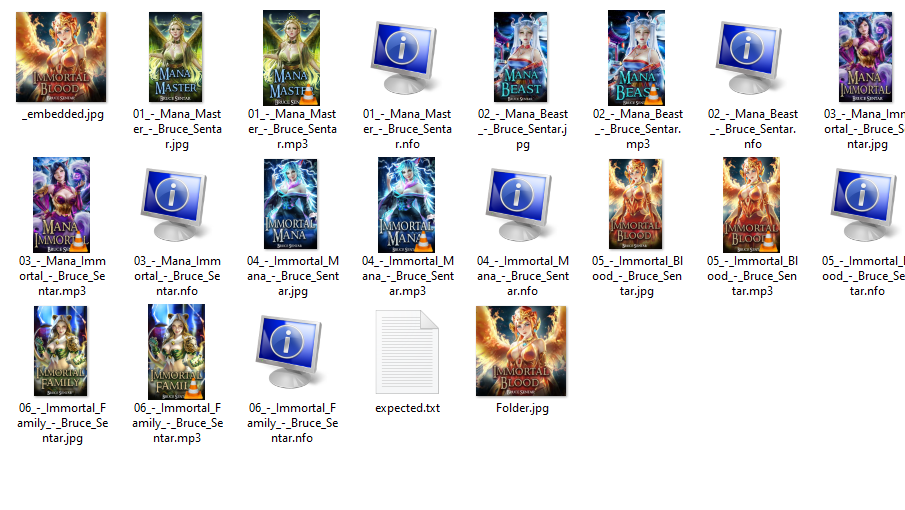
The original folder screenshot shows numbered MP3 files, matching artwork and information files, a folder cover, and an expected.txt file. It shows how the library existed on disk as well as inside the interface.
Consistent naming made it easier to see the order and keep related material together. The names came from the metadata I supplied, so correcting that information was part of keeping the collection useful. Automation took care of the repetitive work after I had set the details.
9. Cleaner files for the players I used
I wanted the organised audio and its artwork to be useful with Plex, Jellyfin, Smart Audiobook Player, and other compatible players. That was a reason to improve the underlying files, rather than keeping every useful detail only inside my own interface.
Embedded metadata helps where a player supports it. Plex documents using embedded tags in music libraries, and Jellyfin documents reading audiobook metadata from audio-file tags. Library settings, supported formats, and a scan or metadata refresh still affect what another player displays.
Tags and listening status do different jobs
Clean tags can help a player identify and organise a file. The Read marker in my manager records completion in my manager. A tag edit alone does not establish that listening progress, read status, or review records are synchronised across Audible, Goodreads, Plex, and Jellyfin.
What made it worth building
The payoff was being able to look at my collection and understand it. I could see a series instead of an endless scroll. I could inspect a book’s details, recognise its cover, find its PDF, see my completion marker, and return to the review I had written.
The program solved the problems I kept running into. I wanted clear information, familiar visual structure, and control over the record of my own listening. Having those things in one place made the effort worth it.
Like my photography scripts and other automation projects, this grew out of a practical need. I kept asking for a particular kind of overview. Eventually, I sat down and built the one I wanted.
My collection. My record. A system I could understand.
That was what the original audiobook manager gave me: a place where the stories, the files, and my own progress felt connected again.
The follow-up comes next
This post documents the earlier Audiobook Manager originally published on 19 November 2025. A separate follow-up will cover the newer version and the changes that came after this project.
The application screenshots are from the original post. The three-questions diagram explains the organising idea; it is not an application screenshot. Book-cover artwork shown inside the screenshots belongs to its respective rights holders.