
PROJECT UPDATE · BEFORE THE FLATPAK EDITION
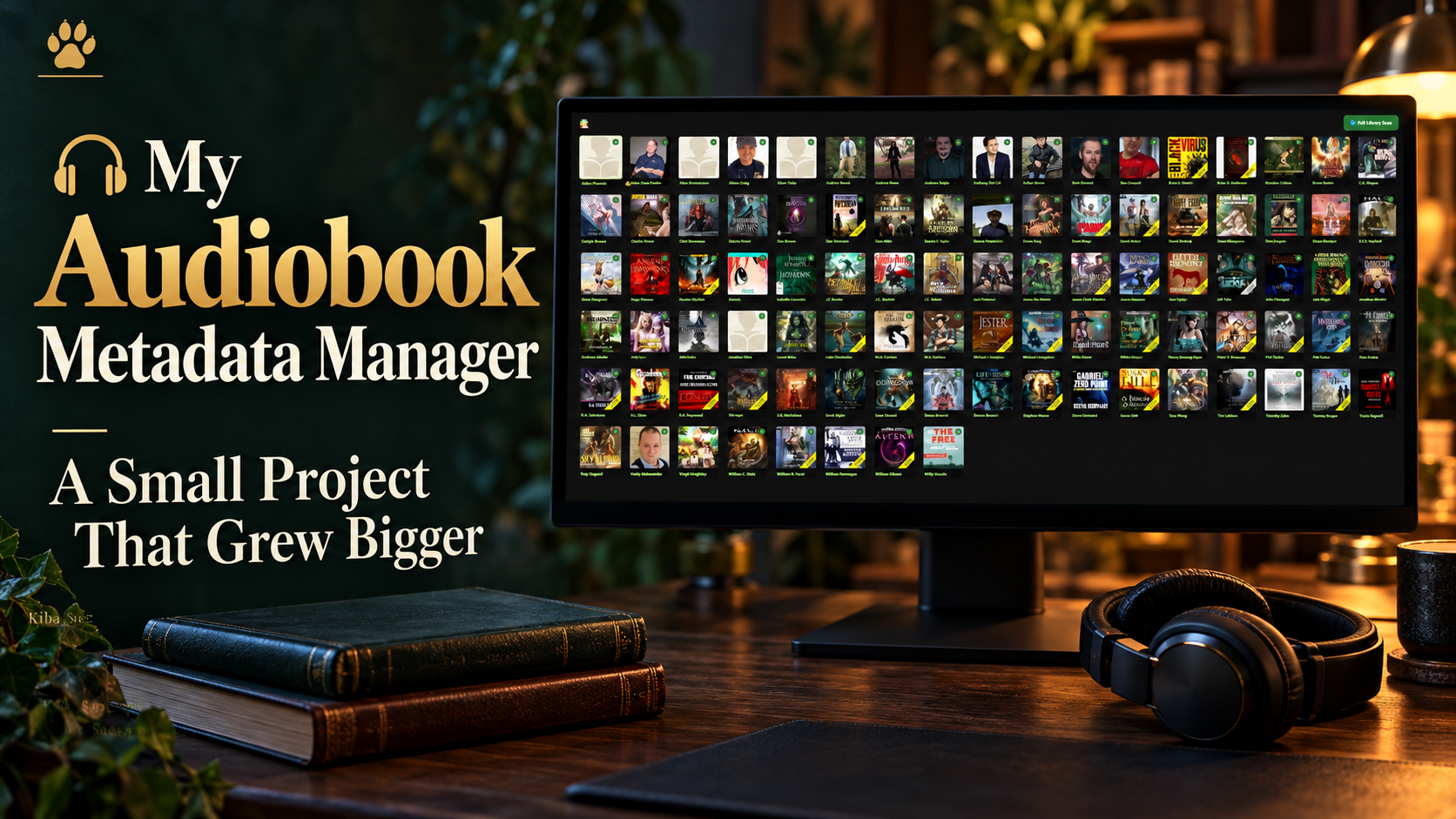
A small vacation project became a full library tool.
I started with a simple idea: make my audiobooks easier to manage. By this update, the tool could scan my collection, organise authors and series, edit metadata, track reading, and prepare files for the rest of my setup.
This is the final update I posted about that earlier version, before I moved on to creating a Flatpak version of the program.
When I began during my vacation, I expected a small utility. The project kept growing because each improvement made another part of the library easier to work with. Around four weeks of trial and error went into fixing bugs, improving the interface, and getting the different pieces to work together.
BROWSE THE COLLECTION
Authors, series, and recognisable artwork in one visual overview.
KEEP MY OWN RECORD
Total-book counts, read counts, comments, and links to my reviews.
ORGANISE THE FILES
Editable tags, consistent names, and generated metadata files.
The library finally looked like a library
The main overview gave me a way into the collection through authors and covers. Instead of starting with a directory full of filenames, I could recognise the person or book I was looking for and work from there.
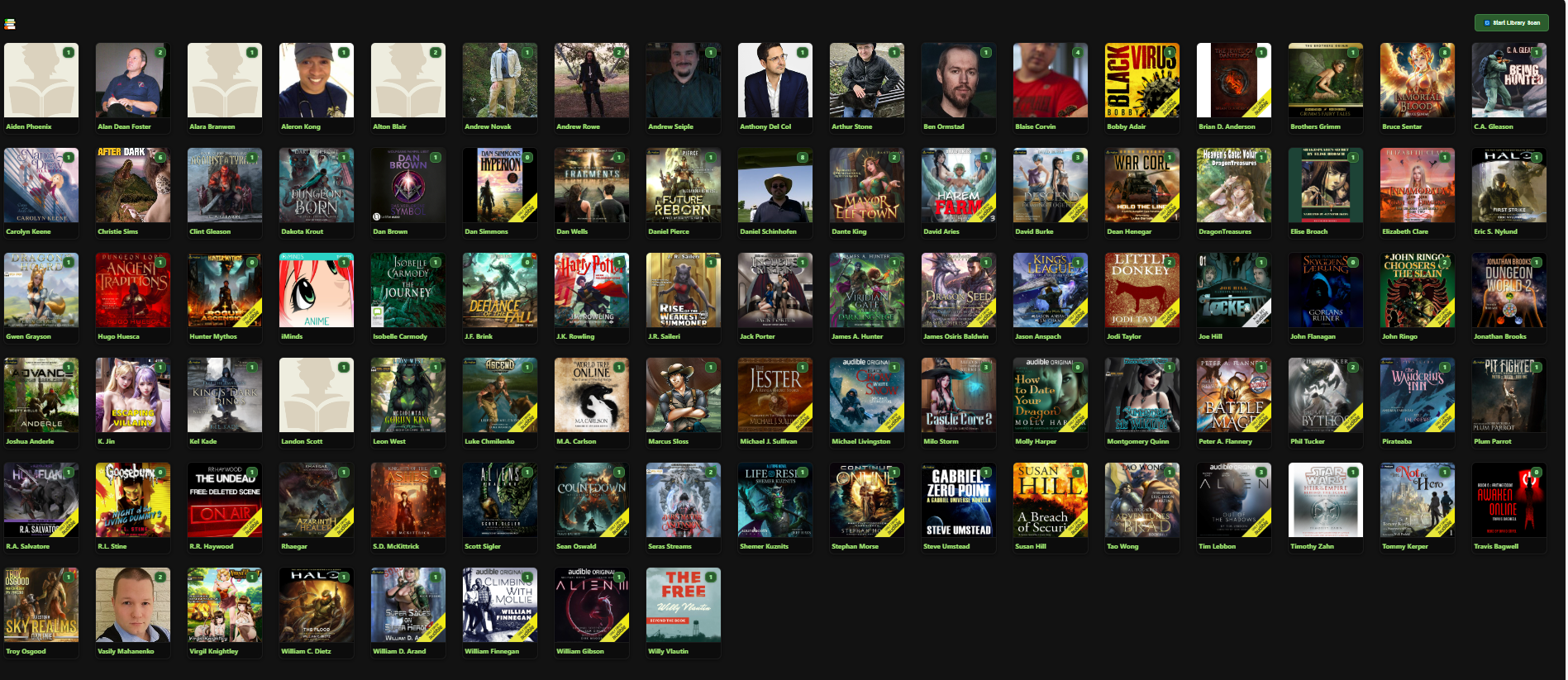
The screenshot shows author cards using a mixture of portraits, cover art, and placeholder images. That visual approach mattered to me: familiar artwork makes a large collection easier to browse, while the library scan brings the local files into the manager’s overview.
From an author to the series
Opening an author took me to their series. In the Bruce Sentar example, the collection includes A Mage’s Cultivation, Ard’s Oath, Dragon’s Justice, Dungeon Diving, First Immortal, Legendary Rule, Returner’s Defiance, and Saving Supervillains.
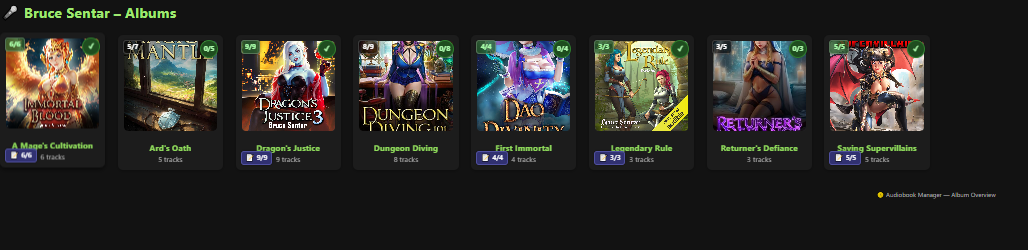
The series cards show counts and reading-status badges alongside their covers. I wanted both the size of the collection and my progress to be visible. Having a book in the library and having finished it are two different things.
What this version could do
Library and book records
- Scan the audiobook library and build the overview from my local collection.
- Display authors, series, and covers so I can browse visually.
- Track total books and books read to keep inventory and completion separate.
- Edit metadata, including titles, authors, years, and tags.
- Add comments and review links so the information stays easy to find.
Automation and file organisation
- Generate metadata files for the Plex and Jellyfin setup I was preparing.
- Create NFO and XML files as part of the metadata workflow.
- Rename files consistently to make the collection easier to follow.
- Convert and clean up genre tags instead of leaving inconsistent labels.
- Auto-tag books using GPT to help with the tagging work.
The details belonged beside the book
The book view brought the useful information together. In the example below, Mana Master and Mana Beast sit under A Mage’s Cultivation, with their covers, metadata, duration, read controls, and saved review links.

I could inspect an entry and correct its information from the same place. That was the point of the editor: I wanted the title, author, grouping, tags, and comments to reflect the collection I was trying to organise. A review link also meant I could return to my writing without searching for it again.
The earlier interface uses album and track labels inherited from audio metadata. In this setup, the album groups a series and the book cards occupy positions within that grouping.
The files mattered as much as the screen
A tidy interface was only part of the job. I also wanted consistent filenames and useful metadata alongside the actual audio. The folder screenshot shows numbered MP3 files, matching artwork and NFO files, a folder cover, and an expected.txt file.
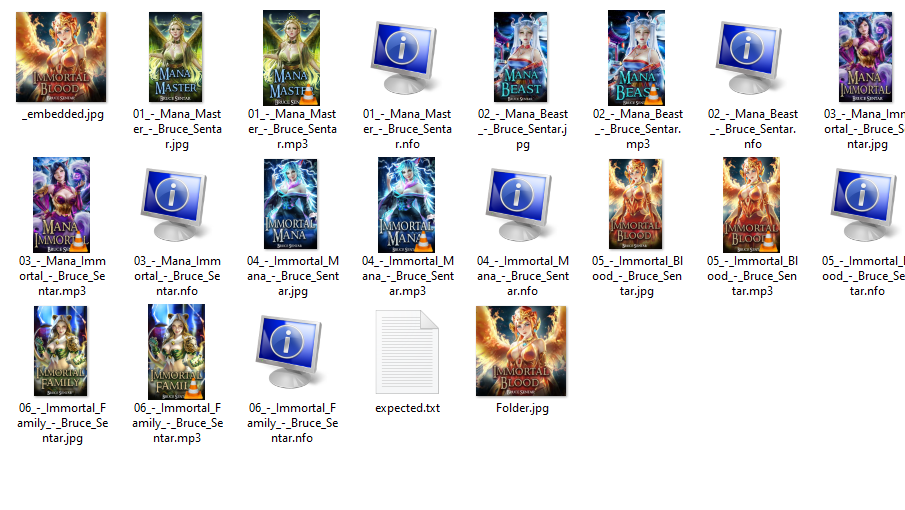
Generating metadata files, cleaning genre tags, and renaming files reduced the amount of repetitive organisation I had to do by hand. The aim was to prepare a collection that made sense both inside my manager and in the players I used.
How that connects to Plex and Jellyfin
Embedded tags and separate metadata files serve different purposes. Plex documents embedded tags for music libraries, and Jellyfin documents reading audiobook metadata from audio-file tags. Which generated files another server uses depends on its library type, supported formats, and configuration. Generating NFO or XML files does not, by itself, guarantee that every field appears in both players.
GPT helped me turn the idea into something useful
I do not fully understand every line of code. GPT handled most of the technical parts, and I want to be honest about that. I brought the idea and the problems I wanted solved, then kept working through the bugs and interface changes until the program felt useful for my collection.
GPT also helped with automatic tagging. For me, that belonged alongside the metadata editor and genre cleanup: another way to make a large library less tedious to organise.
By this point, the earlier version finally felt stable enough for the way I used it. That was a satisfying moment after weeks of trial and error. I could see the library, work with its information, and keep a clearer record of my listening.
It began as a small tool. It became the library system I wanted to use.
The useful part was how the pieces worked together: browsing, editing, tracking, and organising my collection from one place.
The next chapter: the Flatpak version
This post closes the updates about that earlier version. After it, I moved on to creating a Flatpak version of the program. That later stage belongs in its own post; the screenshots here preserve how the manager looked before that move.
All four screenshots come from the original update. They show the earlier application and file layout. Book-cover artwork and author photographs appearing inside the screenshots belong to their respective rights holders.