
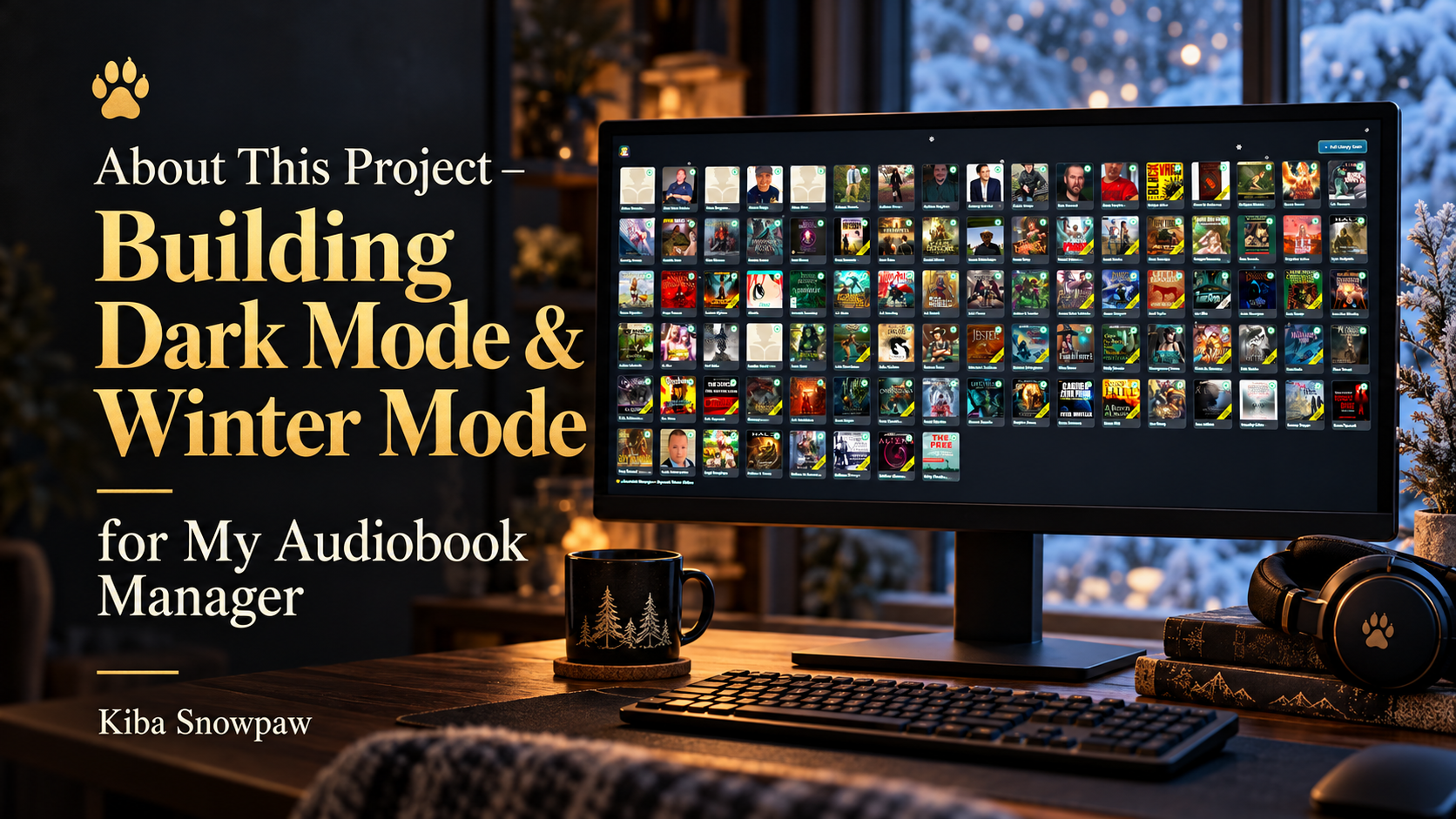
DESIGN NOTES · THE EARLIER AUDIOBOOK MANAGER
I wanted the library to feel like mine.
Building an audiobook manager was about more than editing tags and counting books. I wanted a place that felt familiar when I opened it: my collection, my artwork, and an atmosphere that matched the way I listen.
That became Dark Mode and Winter Mode—two looks for the same library, each with its own mood.
I often listen at night, in quiet surroundings, and during the colder seasons. A bright, busy interface was not the feeling I wanted when choosing the next story. I wanted the books to remain easy to recognise while the surrounding interface stayed calm.
This post records the theme work in my earlier Audiobook Manager, before the later Flatpak version. The screenshots below preserve that stage of the project.
DARK MODE
The everyday look I used most: charcoal backgrounds, green status indicators, and the covers in focus.
WINTER MODE
The seasonal look: colder blue tones, frosted edges, pale highlights, and drifting snow.
Winter Mode: a quiet winter evening
Winter Mode grew from a particular feeling: snow outside, a cold night, and a quiet moment to choose something to listen to. I wanted that atmosphere inside the library without losing the information I actually needed to use it.
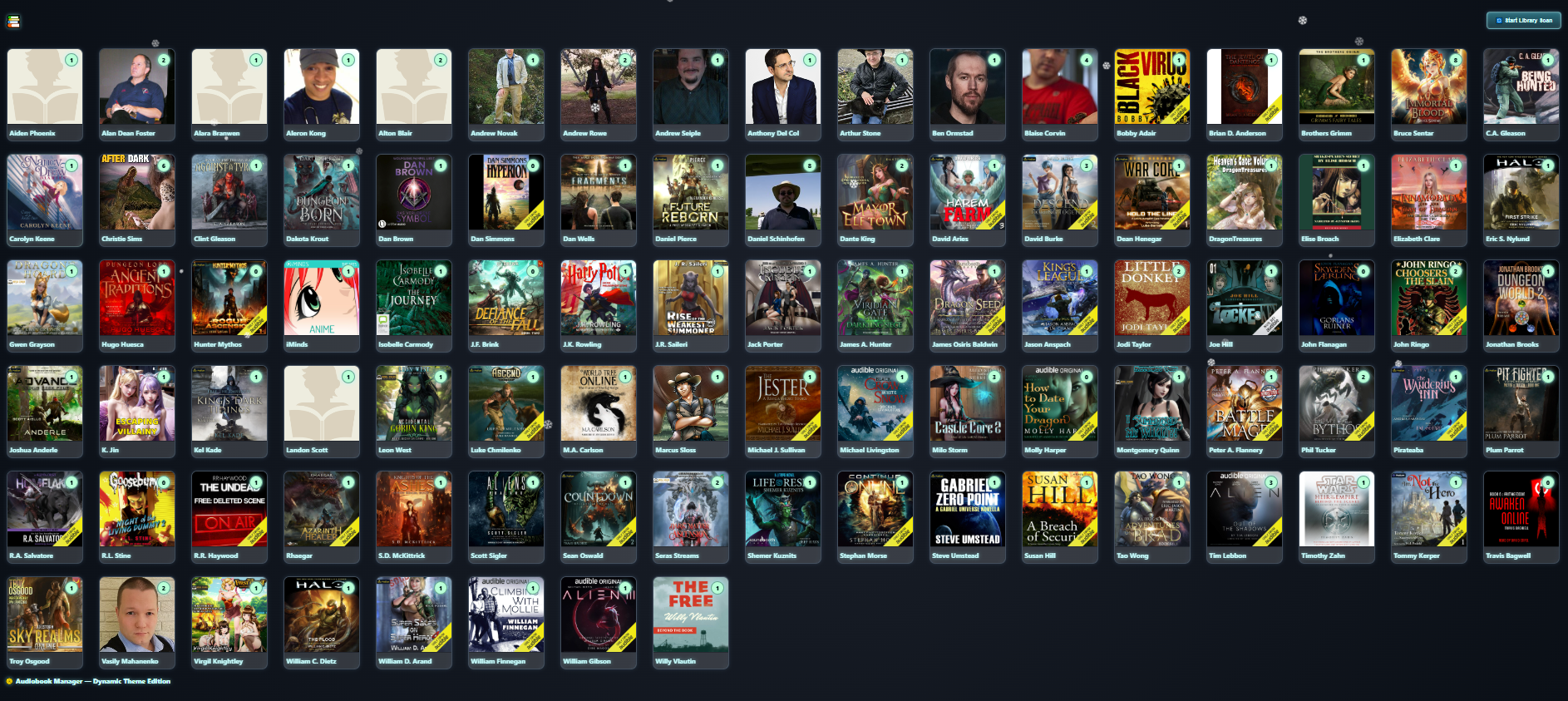
The author grid keeps its familiar arrangement, but the surroundings change. The background becomes darker and bluer, the cards gain a frosted appearance, and pale highlights pick out the labels and edges. The cover artwork brings its own warmer colours into that colder setting.
What I put into the winter look
- A dark blue background inspired by winter evenings.
- Gentle snowfall and snowflake particles drifting over the interface.
- Frosted-looking cards and UI elements with light blur and soft shadows.
- Light text and icy highlights to keep names and controls visible.
- Subtle sparkle effects as another small seasonal detail.
The intention was a gentle seasonal layer. I still wanted to recognise an author, spot a series, and read its counters without the decorative effects taking over the screen.
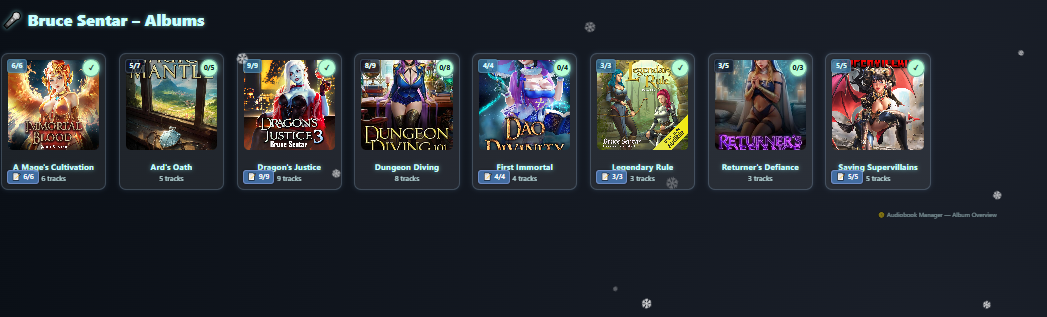
The Bruce Sentar series view shows the same approach on a smaller part of the collection. The covers, counts, and reading-status badges remain in place; the blue tones, pale glow, and snowflakes give the view a different atmosphere.
The mood I was trying to create
Seeing the snow drift over the covers made browsing feel like a peaceful winter evening. That personal feeling was the reason for the theme.
Dark Mode: the view I used most
Dark Mode was the first theme I built, and it was the one I used most at this stage. I wanted a subdued screen for browsing at night, with the artwork and useful indicators carrying the visual attention.
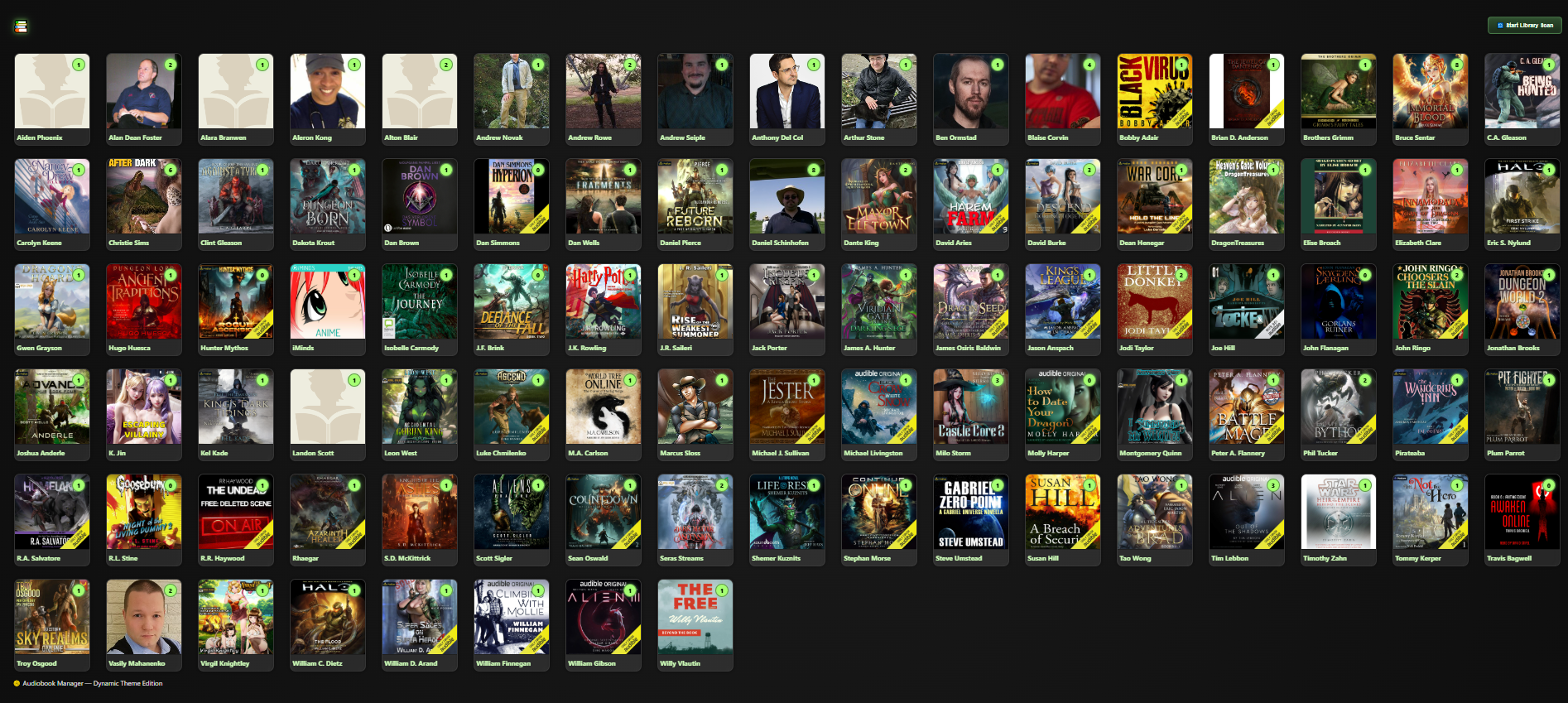
Deep charcoal backgrounds give the covers room to stand out. Green labels and progress or status indicators provide familiar points to look for, while quieter accents help the interface stay consistent from one view to the next.
What I put into the dark look
- Charcoal backgrounds and restrained gradients around the collection.
- Cover art that stands out against the darker surrounding cards.
- Bright green indicators for progress and status.
- Muted accents and consistent page brightness across the interface.
- Soft hover, selection, and transition effects for moving between cards.
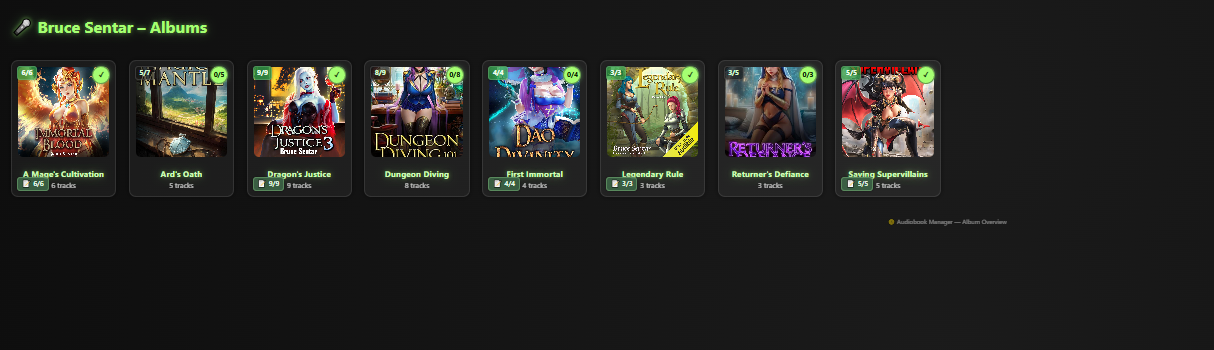
In the series view, the green headings and indicators make the dark theme immediately recognisable. It gives me the same collection overview as Winter Mode, with a more restrained everyday appearance.
Two moods, one familiar library
I did not want changing the theme to mean learning a different interface. The author grid, series view, book or track lists, navigation, menus, and icons needed to belong to the same visual system.
| Design choice | Dark Mode | Winter Mode |
|---|---|---|
| Background | Deep charcoal and subdued gradients. | Dark blue tones inspired by winter evenings. |
| Accents | Green labels and bright progress or status indicators. | Pale icy highlights, glowing edges, and mint-toned badges. |
| Atmosphere | A quieter everyday view for browsing at night. | A seasonal view with drifting snow and a frosted appearance. |
| What stays familiar | Author cards, series covers, counts, and navigation. | The same library structure in a different visual mood. |
The original interface uses album and track labels inherited from audio metadata. In my setup, those labels help organise audiobook series and their entries. The themes change the presentation around that structure.
How the theme system was organised
Shared CSS variables
The design used shared CSS variables for backgrounds, text, card borders, highlights, shadows, and icon colours. Components drew their colours from those values, so I could change a palette without individually restyling each card. Winter Mode reused the darker foundation and added its colder colours and effects.
A theme setting on the page
The selected look was identified by an attribute such as <html data-theme="dark"> or <html data-theme="winter">. Matching CSS rules supplied the values for that theme. Updating the attribute lets those rules apply in the existing page, without requiring a full page reload.
CSS variables handle the shared styling; a theme selector still needs a way to change the active setting. This is the pattern described in MDN’s guide to CSS custom properties.
Seasonal animation alongside the styling
The original winter design also included a canvas snow overlay and an animation loop. That motion is separate from choosing CSS colour values. Keeping it gentle and lightweight was a design goal, while the frosted styling and sparkle effects completed the seasonal look.
The useful distinction is between selecting a theme and drawing its animated effects. MDN explains how CSS and JavaScript animation differ; the canvas work still needs to draw its changing frames.
Why making it personal mattered
At the time, my audiobook collection had grown beyond 400 books. I needed clear organisation, but I also wanted to enjoy the place where I managed it. A collection full of stories should feel inviting to browse.
Dark Mode gave me the everyday view I was comfortable using. Winter Mode gave me atmosphere: snow, colder colours, and the feeling of stepping into a quieter corner of my own world. The important part was that both still put the books within reach.
My library should look like somewhere I want to spend time.
The themes made the manager feel more personal while keeping the author cards, series covers, counts, and controls familiar.
Where I wanted the themes to go next
At this stage, I was also considering other looks for the same system:
- Autumn Mode with falling leaves.
- Forest Mode with green overlays.
- Sci-Fi Mode with neon blue HUD-style elements.
- Classic Mode inspired by old bookshelves.
These were ideas in the original post, rather than a list of completed themes. The shared styling system gave me a starting point for exploring them.
Part of the earlier project’s story
The theme work was another step in turning a small metadata tool into a manager I wanted to use. A later stage of the project moved to a Flatpak version of the program; the screens here belong to the earlier interface.
All four screenshots come from the original theme post. They are static captures of that earlier interface. Book-cover artwork and author photographs visible inside them belong to their respective rights holders.